Turn offline events into
customer touchpoints that drive business results.

Connexy AI learns about attendees and proposes the next action

From attendance history and surveys, Connexy AI proposes the next action for each attendee.
From event operations to post-event sharing and one-to-one messages, it supports how you stay in touch with customers.

Talk about using Connexy at events

ISMS (ISO/IEC 27001) certified

Connexy product screenshot

You can already host events...

Are these the challenges that come next?

Because you already run user groups and seminars, the next question is how to use the voices and relationships you gain there.

  • Data

    Attendance history and surveys do not lead to the next action

    Data remains, but it is not organized enough to see who is stuck, or who should get a consultation or extra information.

  • Communication

    Follow-up after the event stops at a thank-you and a file

    Conversation is lively on the day, then it fades. You want to send relevant information and the next invitation, and create another chance to talk.

  • Operation

    Recurring operations leave no time for customer follow-up

    Invites, attendee management, check-in, and post-event messages take time. Individual follow-up and improvements for the next event slip.

\ Connexy can help /

Know attendees, decide the next move, and keep the relationship.

Bring event information and the communication that follows into one service.
Connexy is a foundation not only for smoother operations, but for understanding attendees and turning that into the next outreach.

Feature 01

Connexy AI proposes and runs the next action for each attendee.

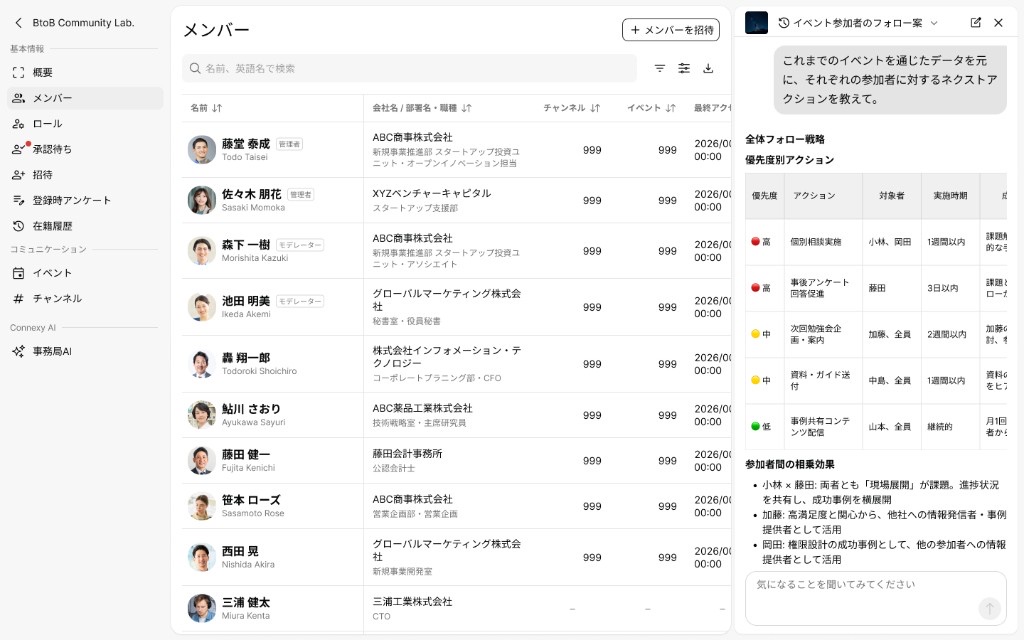
Use attendance and pre/post surveys as a way to learn interests and challenges. Connexy AI proposes who to follow up with, and how.

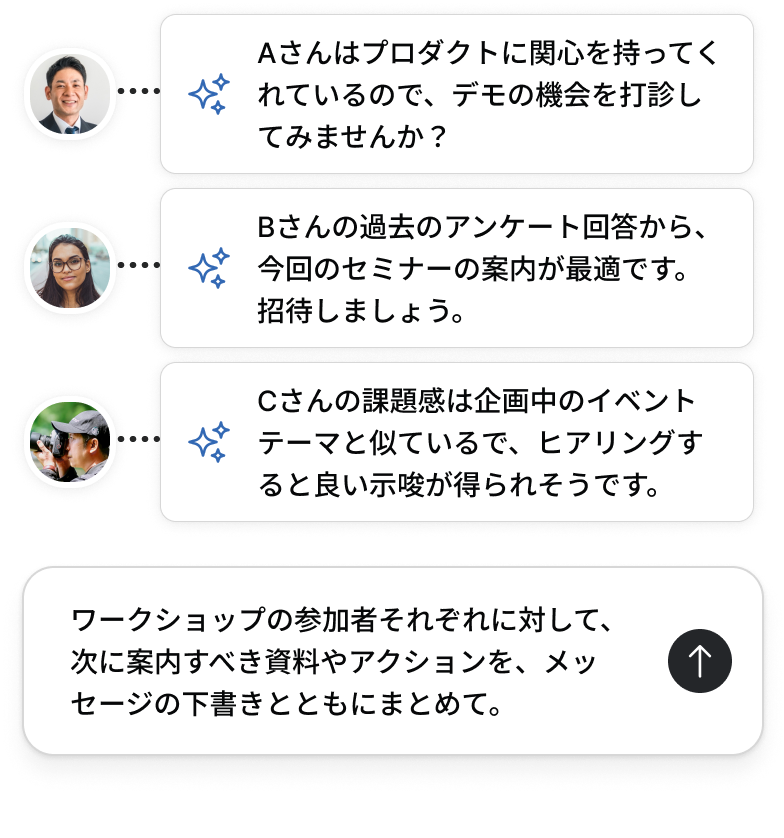
Instead of the same message to everyone, you can plan one-to-one consultations, relevant information, and invitations to the next event.

Example uses

  • People who reported a usage challenge get related information or a consultation.
  • People who showed interest in a theme get an invitation to the next seminar.

These are examples. Operators review AI suggestions and decide what to send and to whom.
Connexy AI suggestion screen
Feature 02

Keep a place to stay connected
between events.

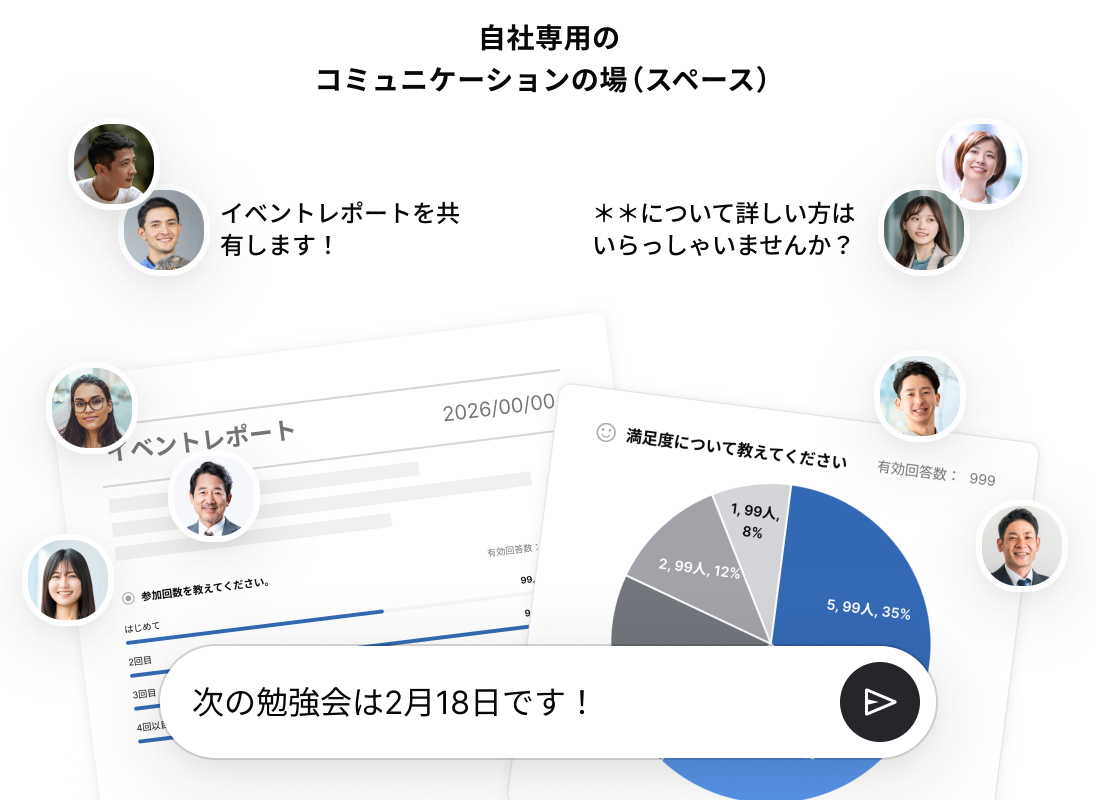
A company Space is a dedicated place to stay connected. Share recaps, files, and the next event so contact continues even when nothing is on the calendar.

Message people one-to-one when a conversation is needed. Mix broadcasts with individual outreach so people come back or reach out.

Illustration of ongoing communication in a Space
Feature 03

Consolidate recurring operations
so you can spend time with customers.

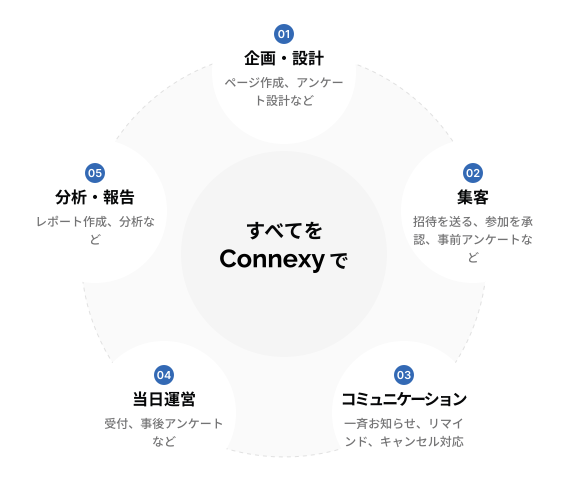
Event pages, invites, check-in, reminders, announcements, and surveys. Run the event and attendee communication together in Connexy.

Spend less time switching tools, and more time on follow-up and improving the next event — not only on setup.

Illustration of event operations brought together in Connexy

From “attend and done”
to the next conversation and the next event.

Who to follow up with, and how. What theme to host next.
Attendance history and survey answers make the next move for each customer visible.

Before the event

Learn interests and challenges

With Connexy...

Connexy AI helps you decide what to ask, so you can see customer challenges and interests

Turn what profiles cannot show into questions at signup. It supports survey design you can use for later information and consultations.

Combine outreach, signup, and pre-event messages so you have time to prepare for attendees

From the event page to invites, signup, and reminders — in Connexy. Less tool-switching, more time for the day’s conversations and the information you will offer.

Event pageInvite-only eventsPaid eventsEvent invitesAttendee managementWaitlistCancellationsAnnouncementsAuto remindersPre-event surveyBusiness profile
During and after the event

Decide the next outreach

With Connexy...

Keep not only signups, but actual attendance and voices after the event

Record attendance at check-in, then use a follow-up survey to see what landed and what is still unclear. You gather what people need after attending, not only what they were interested in before.

From history and answers, AI proposes who to contact and what to offer

Related information or a consultation for people who are stuck; the next seminar for people interested in a theme. Operators review suggestions and decide the follow-up.

Check-inQR check-inNo-show handlingPost-event surveyOperator inquiriesRecapIndividual follow-upAnnouncements
Until the next event

Keep the conversation going

With Connexy...

Deliver information from your Space even when there is no event

Share recaps, files, related information, and the next invitation. Attendees can look back later and find what they want to join next.

Use messages to turn a single outreach into an ongoing conversation

Operators contact people from Connexy AI suggestions, then add information as questions come in. Follow-up does not stop at a thank-you and a file.

Create a SpaceMember managementSpace invitesSpace announcementsApproval-based SpaceInvite-only SpaceDirect messagesGroup messagesSurveys
Who to follow up with, and how. What theme to host next.
Attendance history and survey answers make the next move for each customer visible.

For user groups, and for seminars aimed at prospective customers.

User group

—— Turn usage challenges into ongoing support.

Learn challenges and interests from voices and surveys at the user group. Offer information, consultations, and the next hands-on session, and deepen customer understanding for continued use and further proposals.

A user group in progress

Seminar / offline workshop

—— Grow the relationship even when it is not a deal yet.

Send related information and the next seminar based on interests and challenges. Do not let a single visit be the end. Grow a relationship people can return to when they are ready to talk.

A seminar in progress

From first contact to going live

You can start with a conversation. We listen to your situation, then propose how to use Connexy.

STEP #1

Contact


Reach us through the contact form. We will also send product materials.

STEP #2

Demo and usage consult


We walk through the product and propose a usage plan matched to your situation.

Agreement

STEP #3

Setup and walkthrough


An operator walks with you from Space setup through the first event.

STEP #4

Go live


After you start, we keep answering questions as they come up.

Start with a conversation

FAQ

Common questions

Q1

How much does it cost?

We offer an annual plan per Space. There is no limit on events or members. Please contact us for details.

Q2

Can we run it without a dedicated owner?

Yes. It is designed for people who also have other work. Our team walks with you on initial setup and the first event design.

Q3

Do attendees need an account?

Registration completes with name, organization, department, email, and password. From the second time, they can sign up for an event in one tap.

Q4

Does it work for offline events?

Yes. Same-day check-in is available, for both online and offline events.

Q5

What is your security posture?

We are ISMS (ISO/IEC 27001) certified and operate an information security management system.

Contact

Change how you follow up after the next event.

Tell us how you run user groups or seminars today, and what is hard about follow-up.
Let’s talk about how Connexy can support your own programs.

Talk about using Connexy at events