Connections between members become a reason to keep coming back.
Connexy AI learns about participants and proposes the next move
Someone to consult. Someone to take on a challenge with. Connexy carries relationships from events and introductions into what comes next, and supports programs where the exchange keeps being useful for work.
How do you create more of the right conversations?
Even with time set aside to talk, who speaks with whom is often left to the participants. Staff introductions can only reach so many people.
Who talks about what is left to participants
There are few clues for who to meet or what to discuss, so conversations cluster around whoever happens to be nearby, or the usual faces.
Staff introductions cannot reach everyone
Knowing each person's purpose and interests, thinking of a match, and making the introduction. With limited people and time, covering every participant is hard.
The meeting ends that day
People may talk on the day, then have no reason to follow up, so it rarely becomes a real consultation or an ongoing exchange.
\ Connexy can help /
Operators create the opening. Members deepen the relationship.
Support for staff who think through introductions, and support for members who look for the right person and topic themselves. Connexy AI supports both operators and participants, and widens the chances to make a connection.
Secretariat AI for operators
Decide who should receive which opportunity.
From attendance and surveys, it proposes introduction candidates and why, plus the next program or message. You can look for matches the staff alone would not have found.
Decide who to talk with, and how to grow the relationship.
From a member's purpose and the other person's experience, it proposes someone worth talking to, and a topic. Members can look for a connection and grow it without waiting for an introduction.
The more you host, the better the programs and introductions fit.
Voices and attendance from each event accumulate. Consult Secretariat AI, then plan and send what fits each member.
From member challenges to the next program
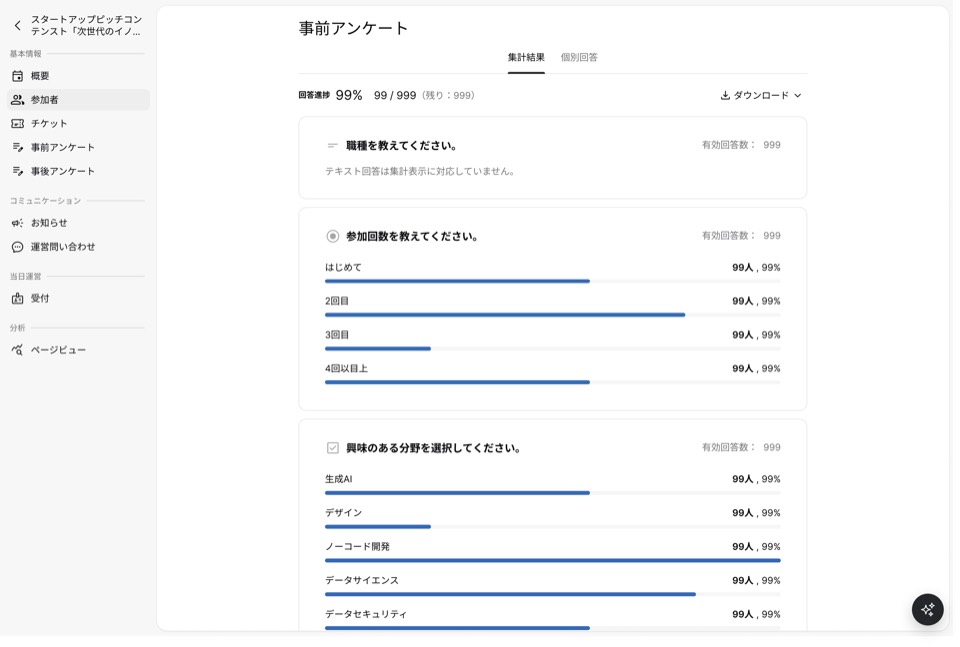
Turn the surveys you collect into the next opportunity.
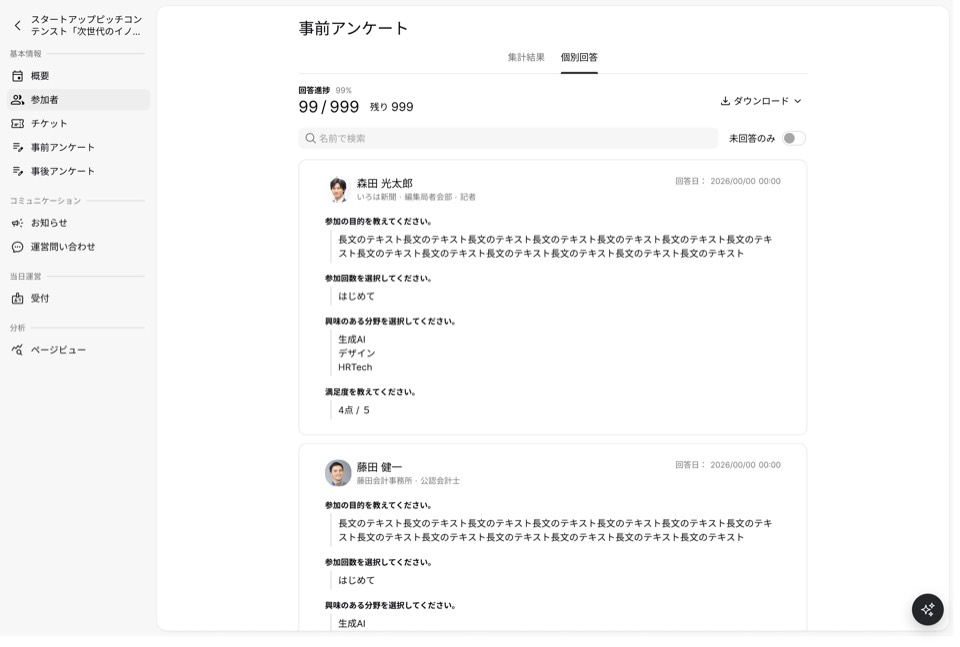
Pre- and post-event answers accumulate for each member, so you can see what they care about and what is still unresolved. Secretariat AI supports you from writing the questions through the next outreach based on the answers.
A challenge shared by several members becomes a study-session theme. An individual concern becomes a reason to share related information or introduce someone to talk with.
An example question for Secretariat AI
From recent surveys, which members are struggling with hiring or developing people? Propose a theme for the next session, and who to invite.
These are examples. Operators review AI suggestions and decide what to send and to whom.
Stack the voices from each event
Networking event
Pre- and post-event answers
Study session
Pre- and post-event answers
Roundtable
Pre- and post-event answers
Challenges, interests, and attendance
Past answers, plus what you heard this time
Consider a program, information, or an introduction
Introduce people who have a reason to talk
Not only what they share, but where a consultation or collaboration could start.
Members with the same challenge, members who can share experience, members whose strengths fit together. From profiles and interests, Secretariat AI proposes candidates and why.
Operators confirm both sides are willing, then make an introduction or a small gathering. Combinations one person might not remember become possible to consider.
An example question for Secretariat AI
I want to introduce a member struggling to start a corporate sales team to a member who has built a sales organization.
These are examples. Operators review AI suggestions and decide what to send and to whom.
Four ways to make an introduction
Exchange experience and what they are trying
Someone with the same challenge
×
Someone with the same challenge
Hear from someone who has done it
Someone who wants advice
×
Someone with experience
Connect what is needed with what can be offered
Someone looking for a place to pilot
×
Someone who can offer a place
Different strengths, the same theme
Business and customer insight
×
Technical and research insight
Messages that fit, and a smaller place to talk
From a message to everyone to an opportunity that means something to that person.
Label members by attributes and interests, and open a limited channel or a limited event. People with a shared challenge get a place where a more specific conversation is easier.
For members who have not joined recently, choose who to contact and write to them together. With Secretariat AI, ask how they are now, or invite them back to a related program.
An example question for Secretariat AI
Invite members labeled "interested in building an organization" to a small session on management challenges. Afterward, keep the exchange going in a limited channel.
These are examples. Operators review AI suggestions and decide what to send and to whom.
Change how you reach people, based on where they are
Using labels, attributes, interests, and attendance
Members with the same challenge
→
Limited channel
Members interested in a theme
→
Limited event or invitation
Members who have not joined recently
→
A check-in, or an invitation to return
Operators review who receives what, and what is visible, before it is set.
An AI assistant for members
Someone to consult, and a chance to take the next step.
Alongside chance meetings and staff introductions, members look for someone they want to consult, or exchange information with. Use limited time together well, and turn the meeting into a relationship they can return to.
Search from a purpose
Meet someone who can talk through your challenge
Look for someone with experience on your own challenge. Connexy AI uses the event theme and your purpose to propose who among the participants or members is worth talking to, and why.
An example question for Connexy AI
I want to test a new business. At this event, who should I ask, and what?
Start the conversation
Turn limited time into a conversation with a point
Sort out what you want to ask, and what you can share, so you arrive with a purpose. Connexy AI proposes a concrete topic from the other person's experience and what you both care about.
An example question for Connexy AI
What could I ask about their experience with AI? What from my own process improvements could I share?
Keep the relationship
From one meeting to a relationship you can return to
Continue the day's conversation, or send each other information, and move toward the next consultation. From past contact, Connexy AI proposes a way back in, and you can keep talking by message.
An example question for Connexy AI
I want to contact the person I talked with about a pilot. From our past messages, suggest how to open the conversation.
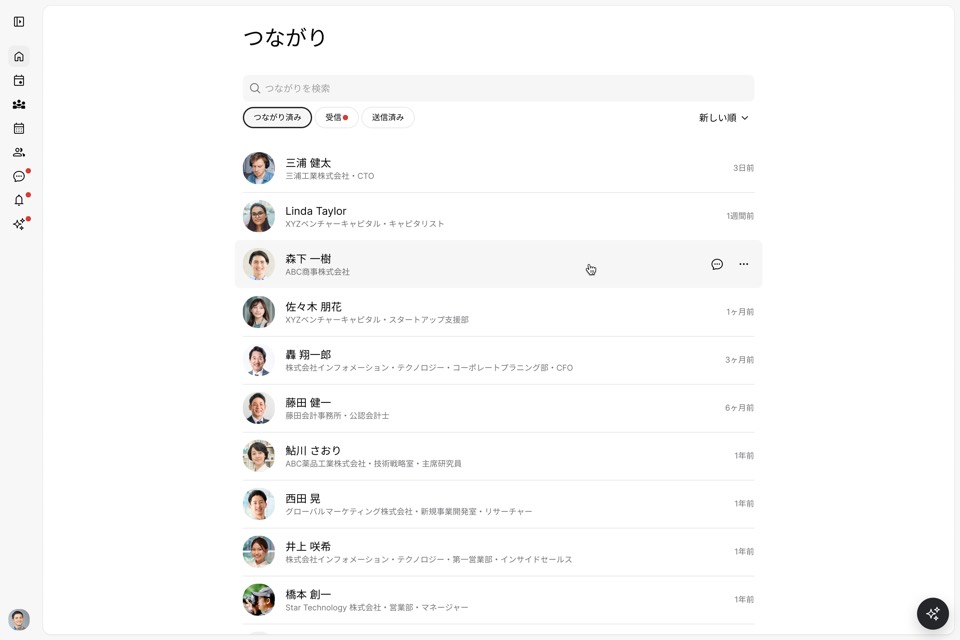
Use the connections you have
When the work changes, draw on people you already met
When the work shifts, you can still ask people you met before. Connexy AI compares the current challenge with their experience and proposes who, among people you are already connected with, to consult.
An example question for Connexy AI
We are starting to think about expanding overseas. Among my connections, who might have experience I can ask about?
"I want to ask this person again." Relationships like that, stacked up, become a reason members want to stay.
What the AI can see, and how profiles and messages are used, depends on the person's participation, permissions, and each feature's settings.
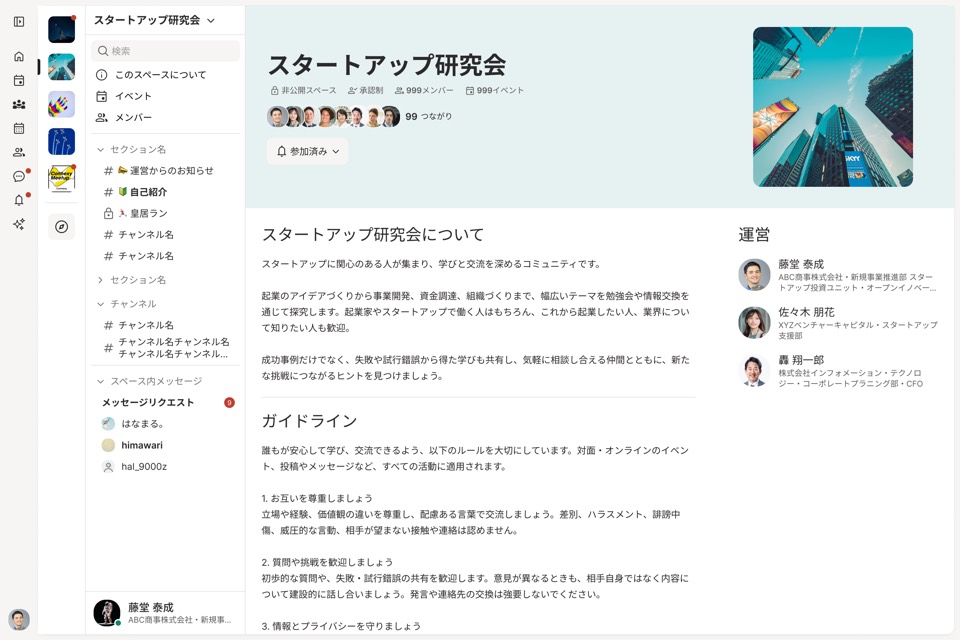
An operating base for keeping the exchange going
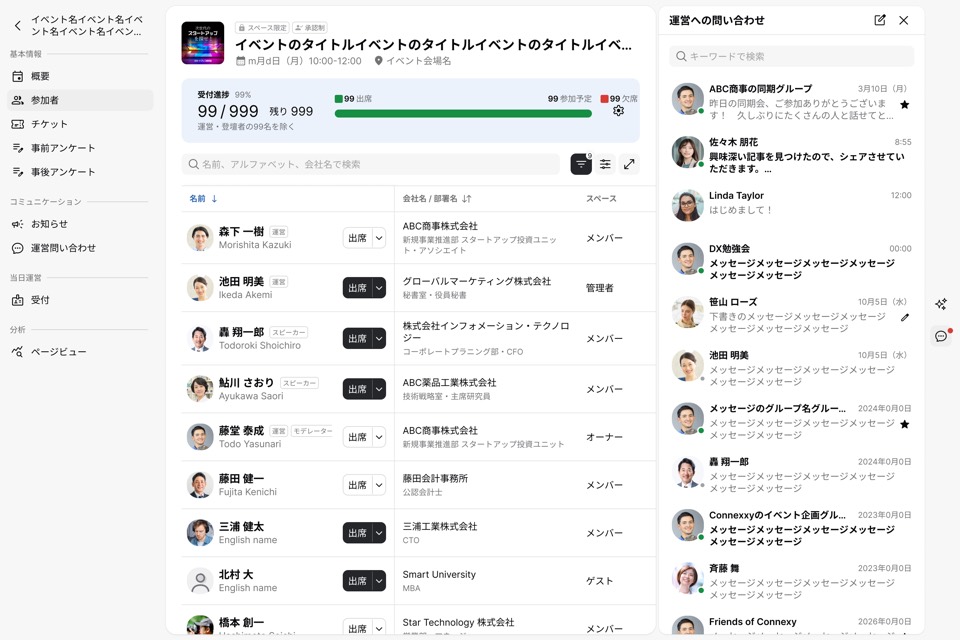
Events, member information, and messages, in one service.
Bring the repeated preparation and administration together, so you can spend time reaching members.
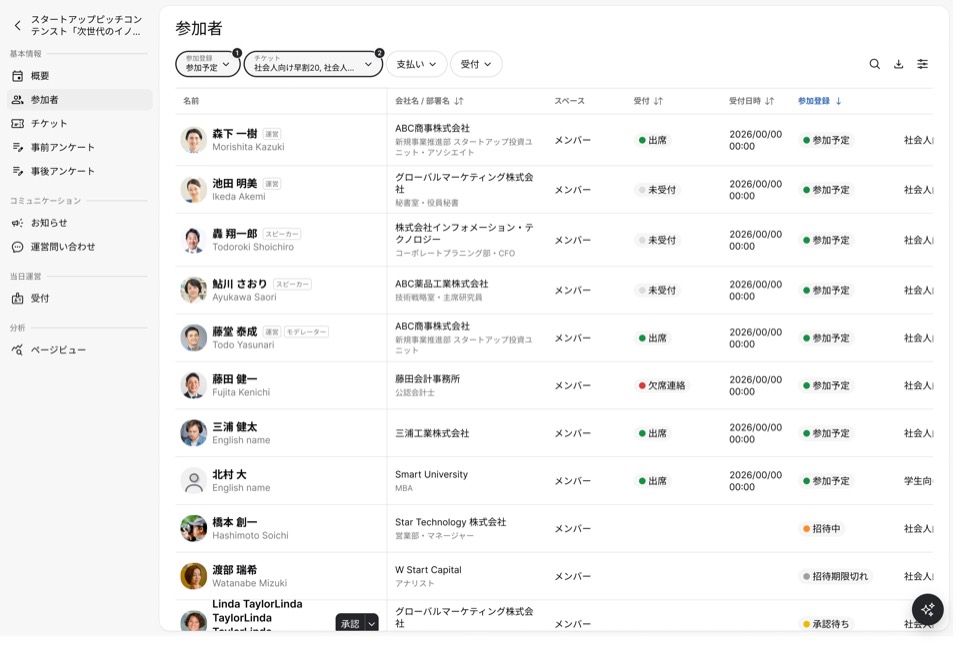
Events
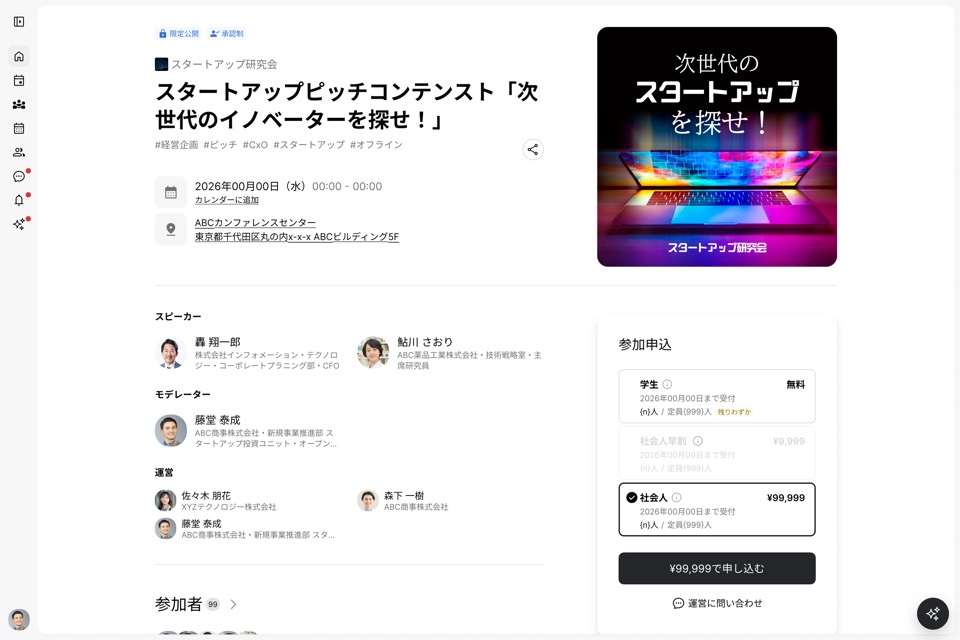
Pages, invites, registration, check-in, reminders, and pre- and post-event surveys
Before
Attendee details and answers stay with each event
After
Become member history for the next invitation or program
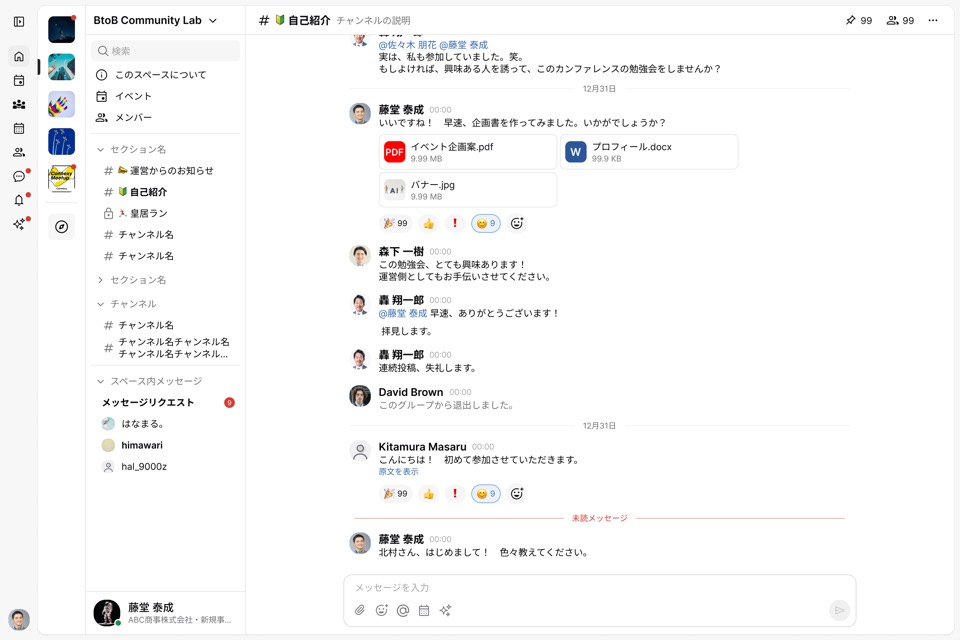
Members and exchange
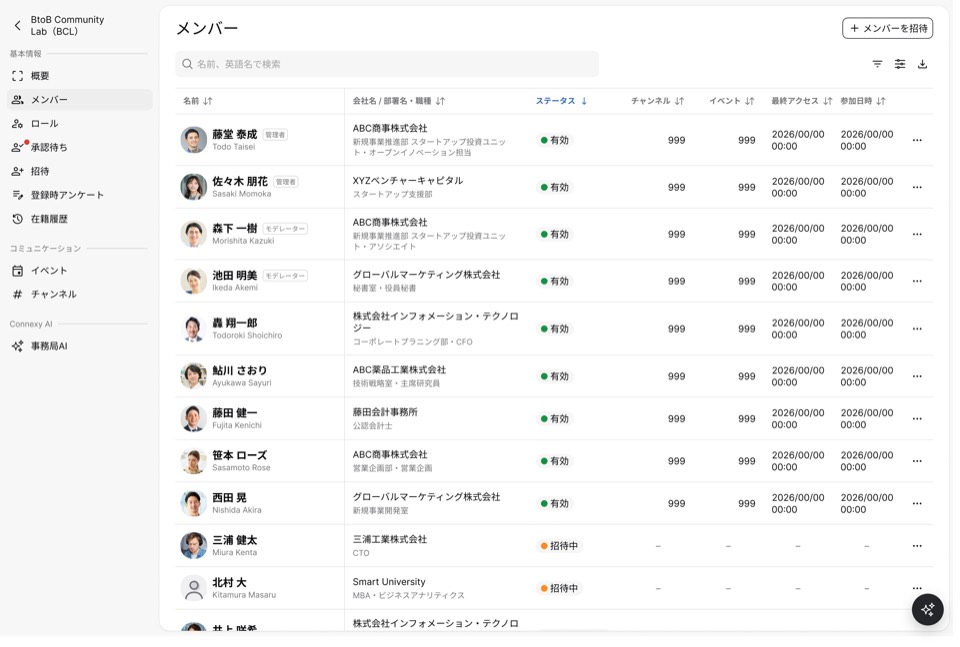
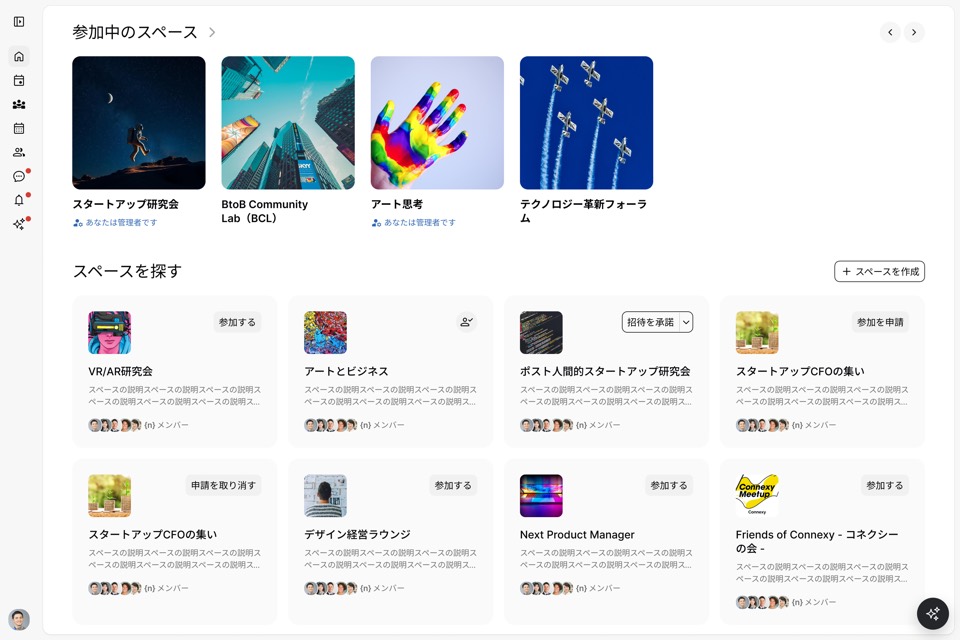
Spaces, profiles, attendance, labels, and limited channels or events
Before
Invitations go out to everyone at once
After
Invitations and limited programs matched to interests and attributes
Messages
Announcements, messages to selected members, and one-to-one or group messages
Before
Follow-up after the event scatters into one-off replies
After
In the same Space, sharing and consultation continue
We can also talk about how this fits with your current registration, chat, and member tools, and how to move over.
Use Cases
Exchange between members becomes a reason to be in the room.
Think from the consultation or collaboration you want to happen there, not from the format of the gathering.
Membership salons and study groups
Bring what you learned, and talk through what you will try.
Turn what a regular session teaches into exchange between members, and into individual consultations. Deliver the value of membership in the time until the next session, too.
Groups for executives and business owners / Industry associations / Study groups on a theme
Exchange based at a place or an area
From this place, connections between companies grow.
For developers and facility operators bringing together tenants, members, and companies in the area. More chances to consult or collaborate, and the opportunities here become part of the value of the place.
Co-creation facilities / Membership offices / Company exchange in an area
Co-creation and business collaboration programs
Consultation and collaboration continue after the program.
Support dialogue and introductions between participating companies and the people supporting them, in a place where the exchange can continue after it ends. Including alumni, create connections for the next program or collaboration.
Collaboration between companies / Startup support / Industry–academia collaboration
A chance to consult or exchange information, a sense that membership is worth it, and a reason to keep choosing it.
Chances to consult and collaborate
What members get from each other
→
A felt reason to belong
Why it matters to be here
→
A reason to keep choosing it
Value of the facility or the membership
From first conversation to going live
We design the start around how you operate today.
You can start by talking. We listen, then propose how to use Connexy.
STEP #1
Demo and usage consult
We ask about your members, why they meet, and the tools you use now, and walk through the product.
STEP #2
Confirm scope and terms
We sort out which members, which Space, which features, and when you start, then share the cost.
Agreement
STEP #3
Setup and a walkthrough
An operator helps set up the Space and the first event. You confirm how members will be invited, and how you will run it.
STEP #4
Go live, and keep consulting
We also answer questions that come up in real operation, and questions about how to use it.
Yes. It is designed for people who also have other work. Our team walks with you on initial setup and the first event.
Q2Does the AI make introductions and send messages on its own?
AI proposes candidates and the next outreach. Operators and the people involved review what is sent and to whom. Introductions confirm that both sides are willing. What you can do, and the terms, are covered in the demo.
Q3Can operators see participants' notes and private conversations?
Attendance and surveys that operators handle, and a participant's own notes and private messages, have different visibility. Operator AI does not uniformly read participants' private exchanges. Permissions and visibility can be confirmed when you start.
Q4Can we move from our current member data and tools?
We look at the format and how you work today, then explain what we can import and how a move would go. We can also talk about how this fits alongside the tools you already use.
Q5What is your security posture?
We are ISMS (ISO/IEC 27001) certified and operate an information security management system.
Q6Can you also plan and run the events?
Connexy for Business is a platform. If you want help planning and running programs, that is a separate conversation as Connexy Partner. We explain the scope and the cost separately.
Contact
Make the connections that happen here a reason your place is chosen.
You want more chances for members to consult and collaborate. Let's look at the product together and talk about how Connexy fits what you already do.